See every round at every site.

हर राउंड, हर साइट, हर दिन।

SiteSee is CAFM built for Indian facility management companies. Put a QR sticker on every washroom, pantry and DG set. Staff scan it and tick the checklist in Hindi or English. Your supervisors, ops managers and client see it as it happens.

40,000frontline staff use SiteSee every day.
app.sitesee.in / Live board
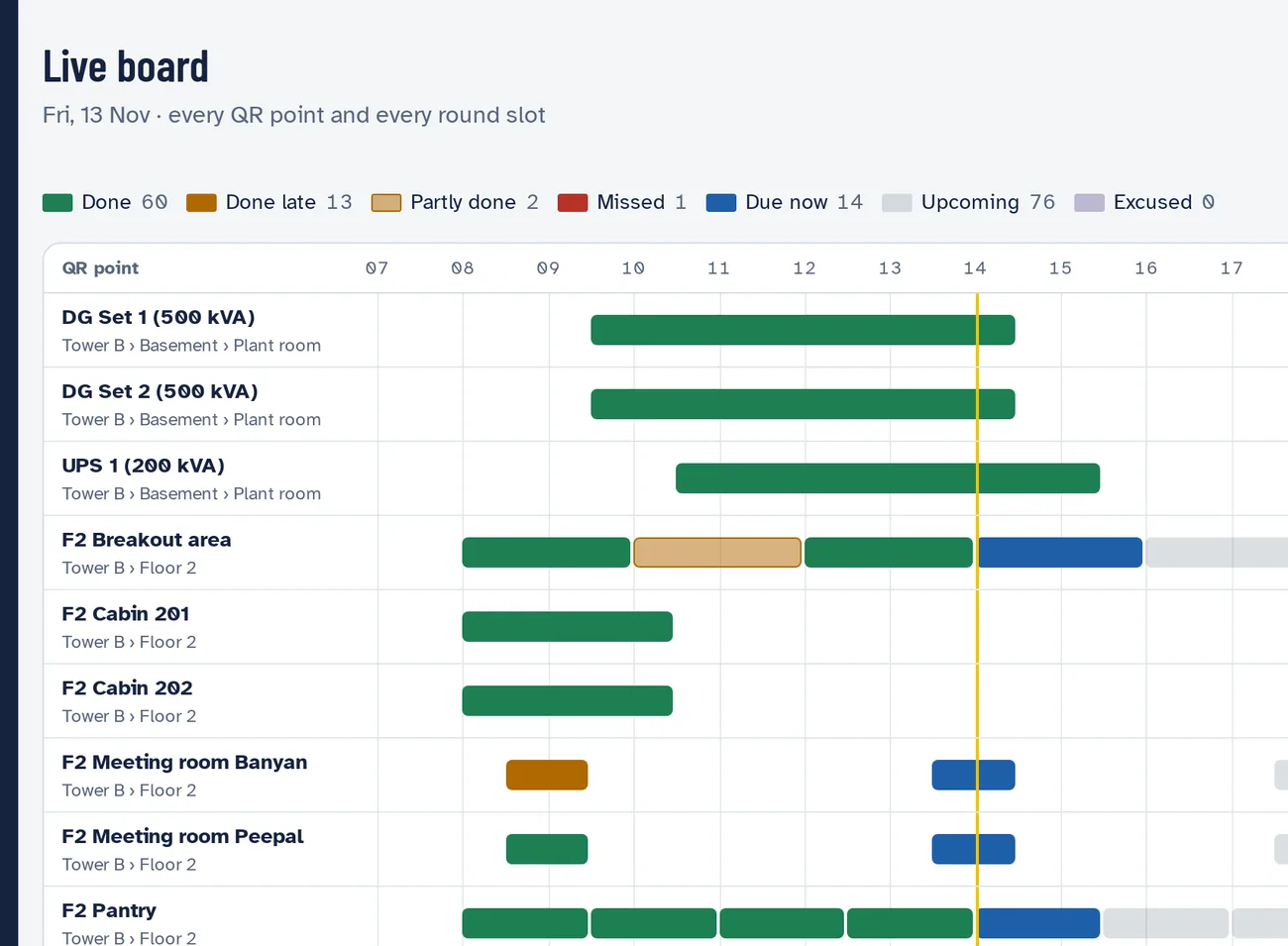
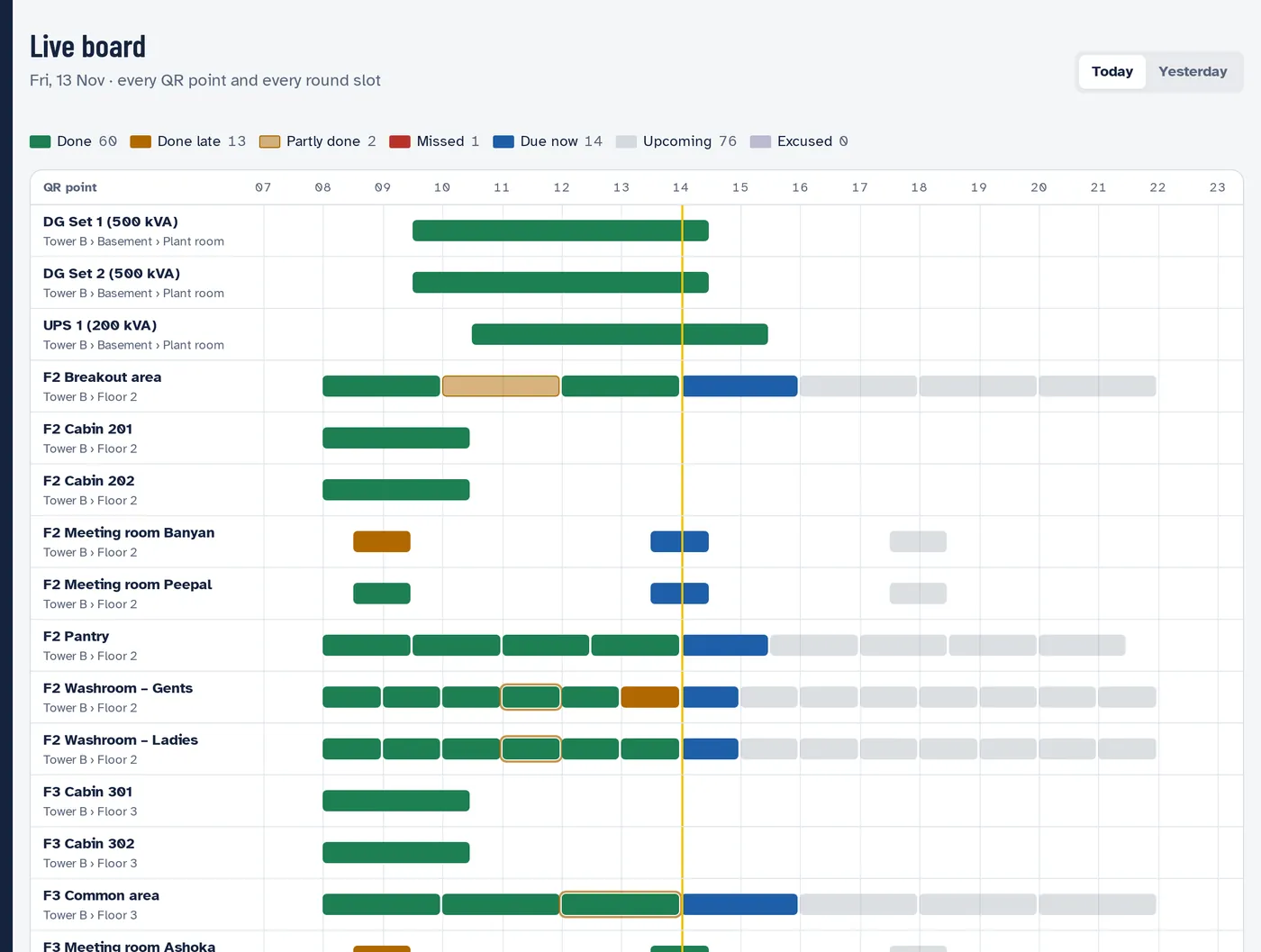
The live board: every QR point at a site down the side, the day's hours across the top, and each round slot coloured done, late, missed, due now or upcoming.
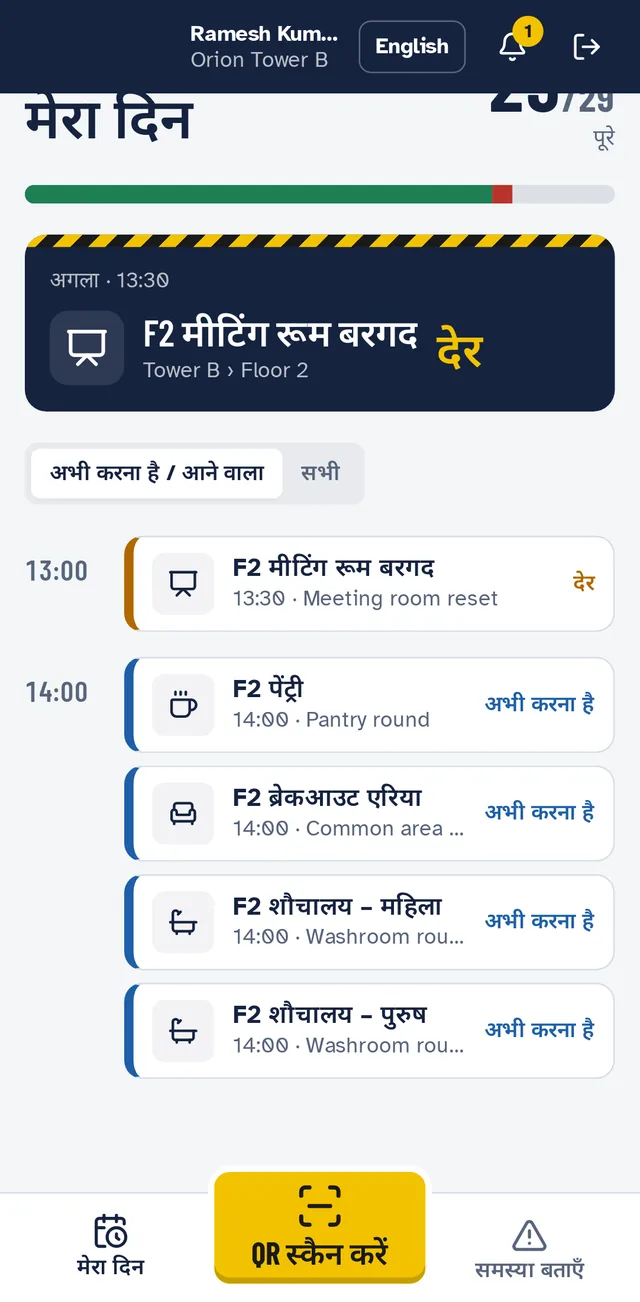
A housekeeping staff member's day in Hindi: 24 of 29 rounds done, the next round marked late, and the yellow Scan QR button.
Scan to start · स्कैन करें
40,000staff using it every day
17ready-made checklists, in Hindi and English
1 minuteto hand a leaver's rounds to the new joinee
₹1,10,000a year, for every site you run

Live at a new site the same week

No hardware, no installs. Add the site, pick ready-made checklists, print the stickers, add your staff by phone number.

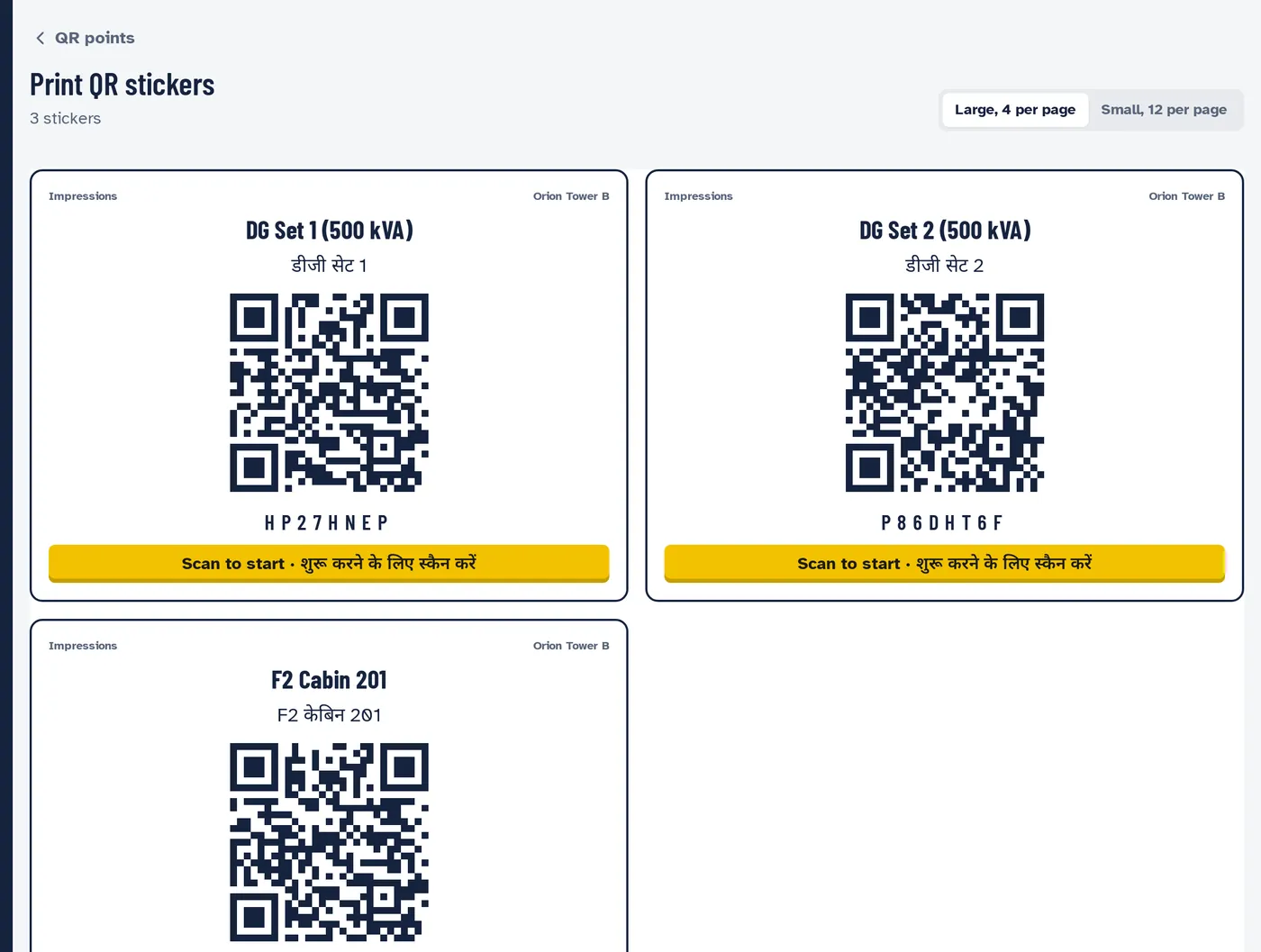
  1. Print-ready QR stickers for DG Set 1 and DG Set 2, each named in English and Hindi with a yellow Scan to start strip.

    Stick a QR on every spot

    Every washroom, cabin, pantry, DG set and pump gets its own sticker, printed from SiteSee on A4 vinyl. Each one opens that spot's checklist.

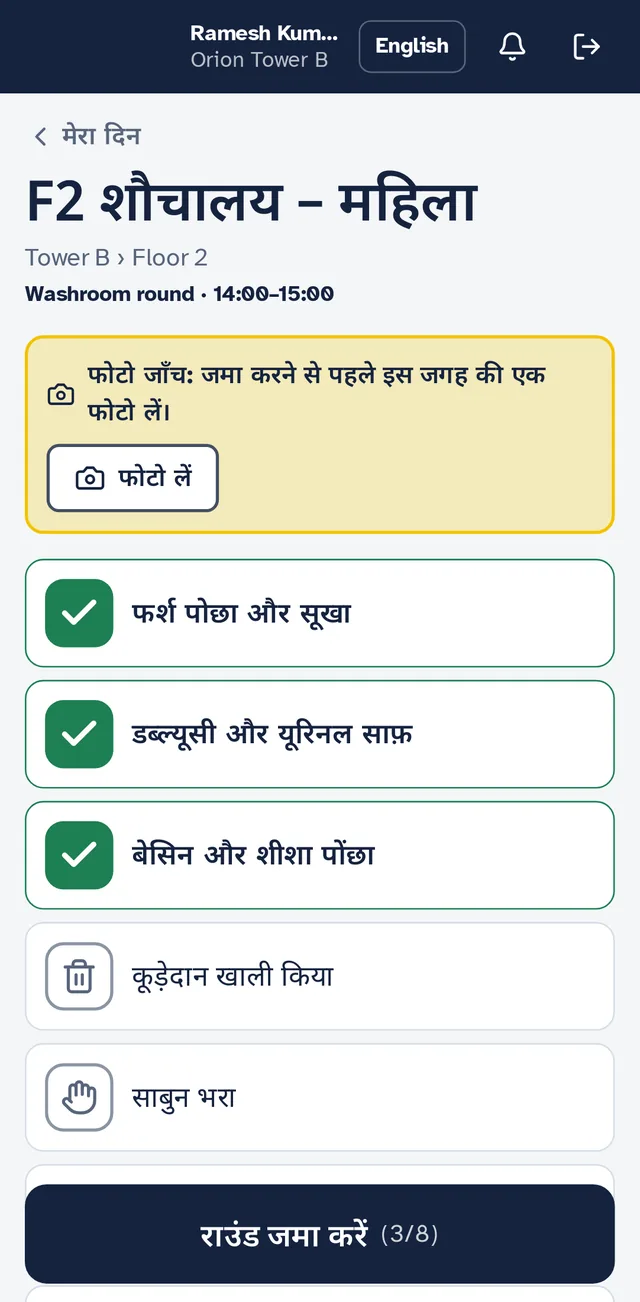
  2. A washroom round on a phone: a random photo check, floor mopped, WC cleaned and basin wiped ticked, and a Submit round button.

    Staff scan and tick

    Housekeeping and technicians sign in with their phone number and a PIN, scan the sticker and work through the checklist. Readings, photos and problems go in on the spot.

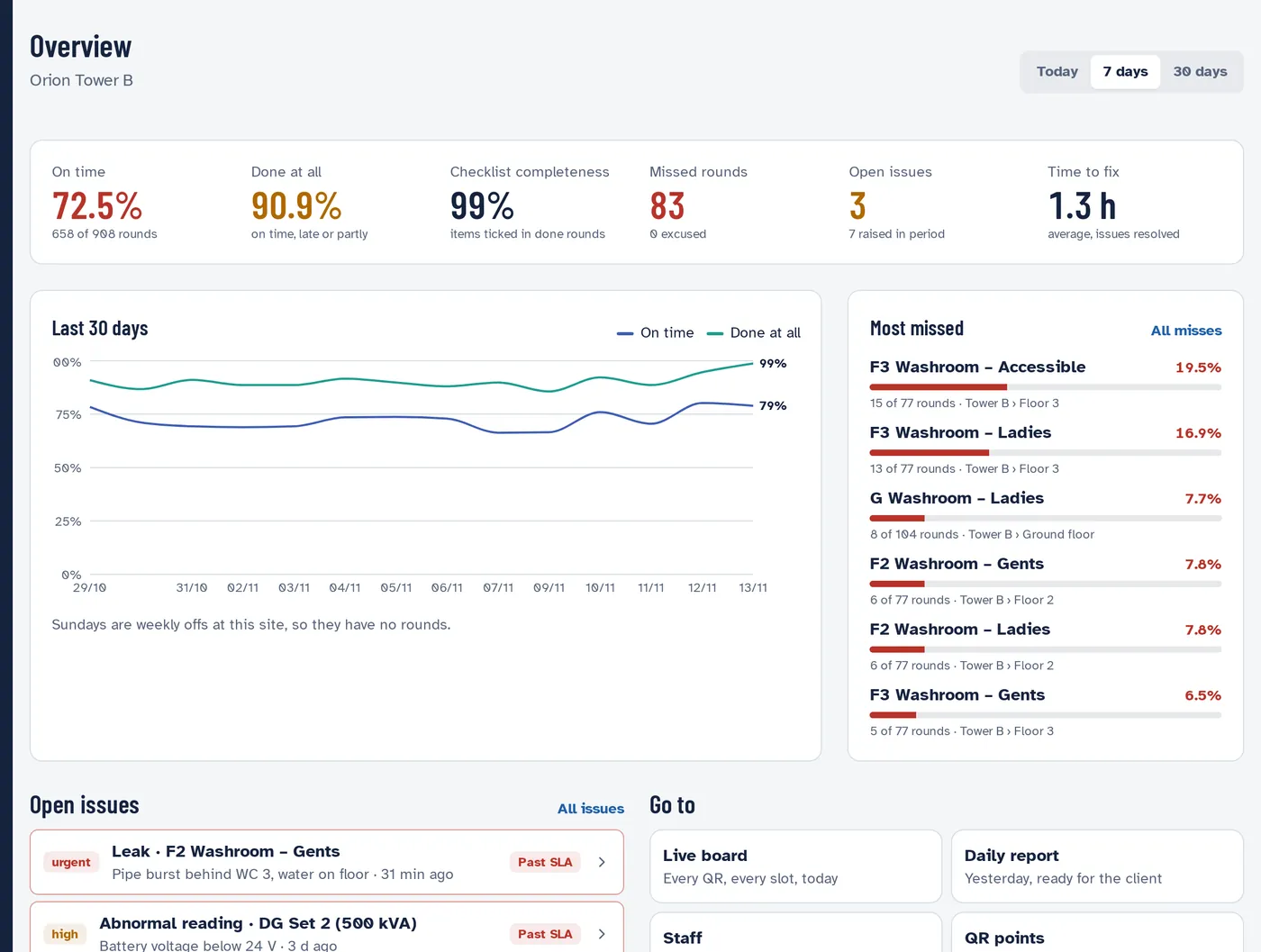
  3. The site overview: 72.5% of rounds on time, 90.9% done at all, 3 open issues, a 30-day trend and the most-missed QR points.

    Everyone sees it live

    Supervisors see who is late. Ops managers see every site they run. Your client gets a daily report they can check against the floor.

Everything an FM provider runs on, nothing it doesn't

Housekeeping rounds, technical logs, issues, assets and reports in one app your frontline can use without training manuals.

Rounds that prove themselves

Every QR point has its own checklist and timing. A scan only counts when the phone is at the site, every tick is time-stamped, and readings outside their limits are flagged on the spot. Photo checks come up at random, so nobody knows which round will ask for one.

  • Ticks, readings, photos and voice notes
  • Timings per QR: every hour, per shift, weekly, monthly or by DG run hours
  • Hindi or English, one tap to switch
  • Rounds done very fast, off site or by someone else are flagged for a second look
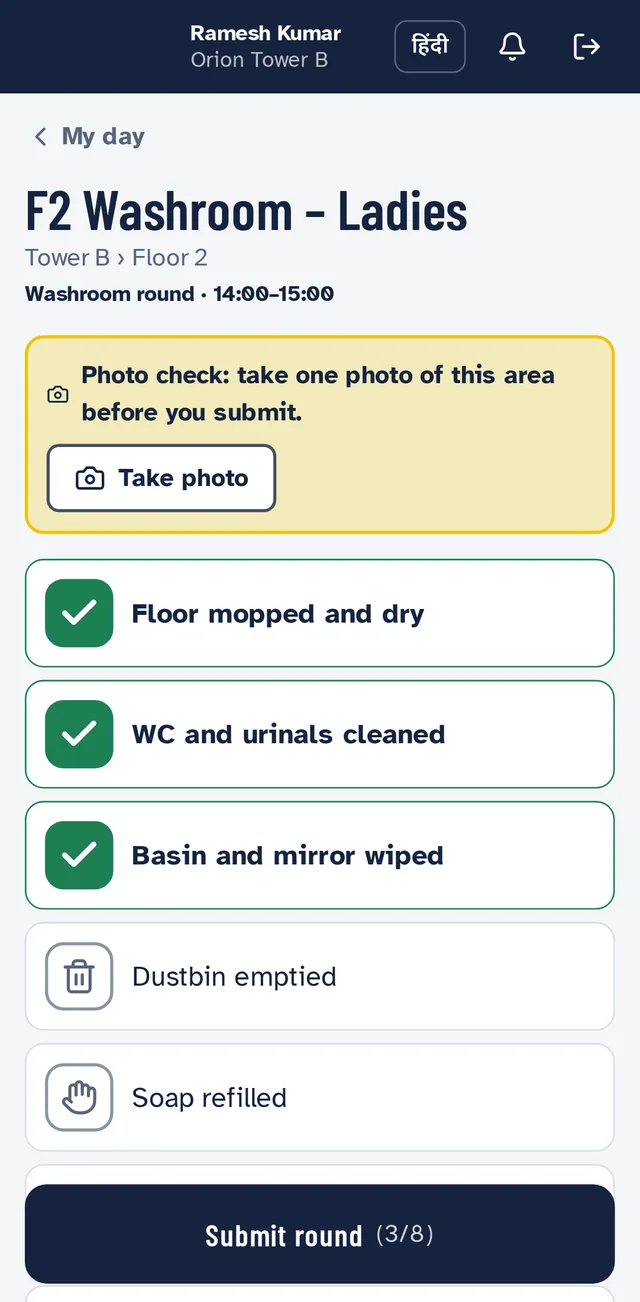
Washroom round checklist in English.
English
The same washroom round in Hindi.
हिंदी

One look tells you what's late

The live board shows every QR point and every round slot for the day: done, done late, partly done, missed, due now. Supervisors see their own spots, ops managers see their sites, and your head office sees everything.

"Which washroom was missed at 3 pm?" is answered before the client asks.

app.sitesee.in / Live board
Live board timeline for one site: DG sets, UPS, cabins, meeting rooms and washrooms, each with its round slots coloured by status.

Your team hears first

Staff report a leak, a stock-out or a broken tap from the QR it's at, with a photo. The supervisor for that spot is alerted at once. If nobody picks it up, it climbs to your ops managers level by level. The client's facility manager hears only if it's still open much later, and sees every day's issues in the morning summary.

  • Escalation steps by severity, set once for the company and changed per site
  • Closing an issue needs a note on what was done
  • Turn an issue into a work order when it needs parts or a vendor
app.sitesee.in / Escalation rules
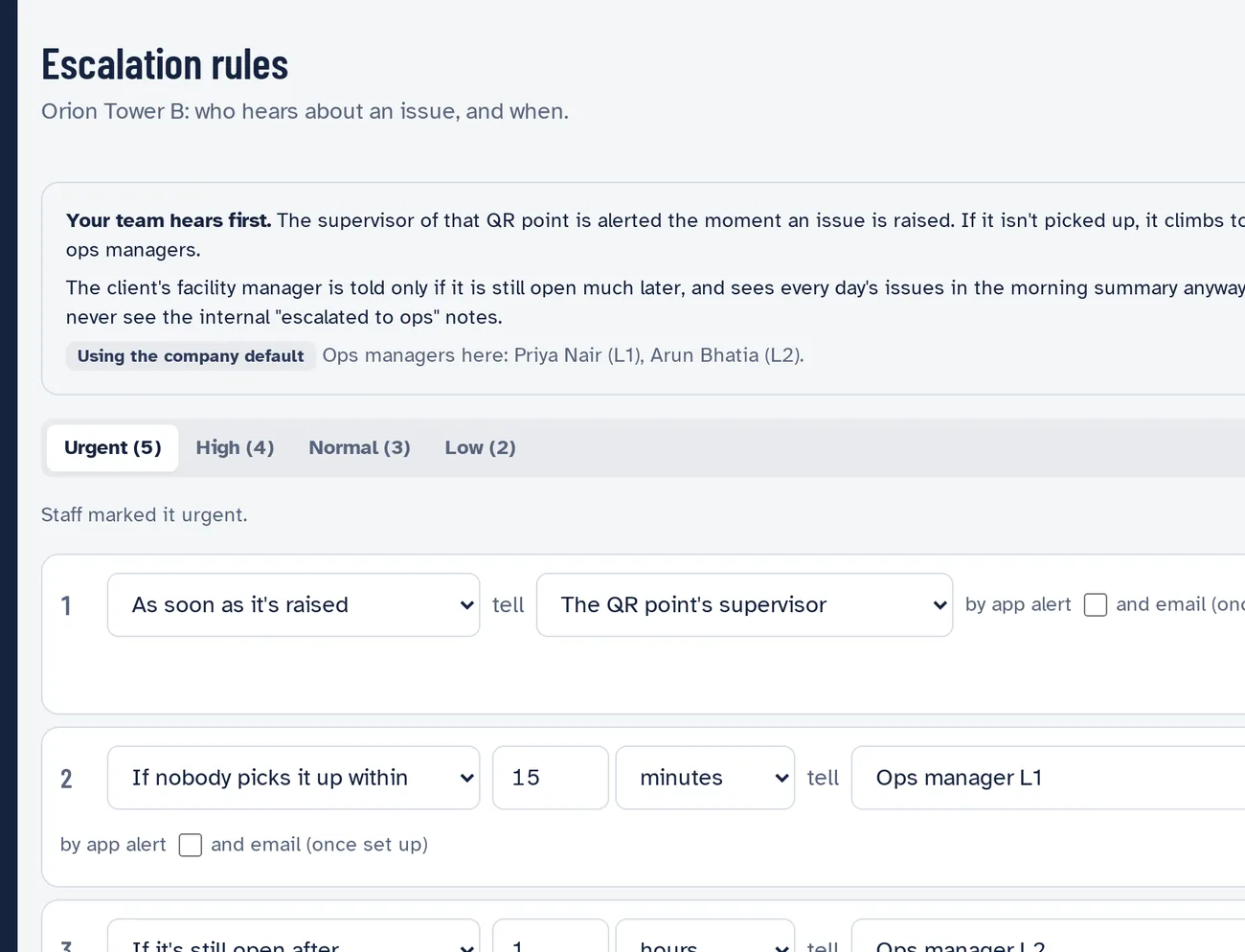
Escalation rules: tell the QR point's supervisor as soon as an issue is raised, ops manager L1 after 15 minutes, L2 after 1 hour, the client's facility manager after 3 hours.
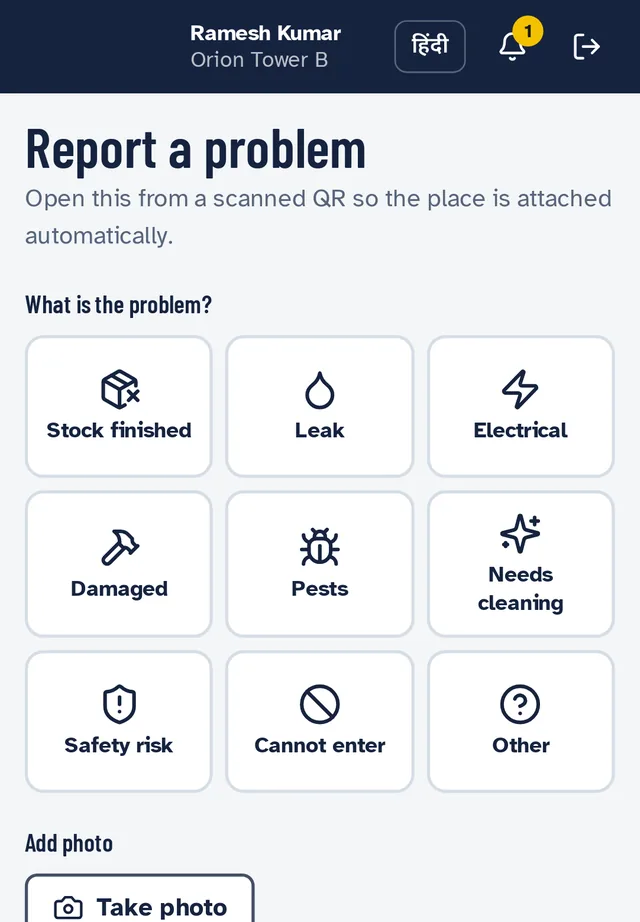
Report a problem on a phone: stock finished, leak, electrical, damaged, pests, needs cleaning, safety risk, cannot enter.

Assets, PPM and the paperwork around them

Every DG set, UPS, pump and lift has a register entry and a full history: checks, readings, services, breakdowns, work orders, vendor visits and parts. SiteSee tells you what's due before it's due.

  • PPM by the calendar or by run hours
  • AMC, warranty and certificate expiry (fire NOC, lift licence, CEIG), with reminders 30, 10 and 3 days ahead
  • Work orders with parts needed, ordered and fitted
  • Diesel fills with litres per running hour
  • Breakdown history with average time to restore
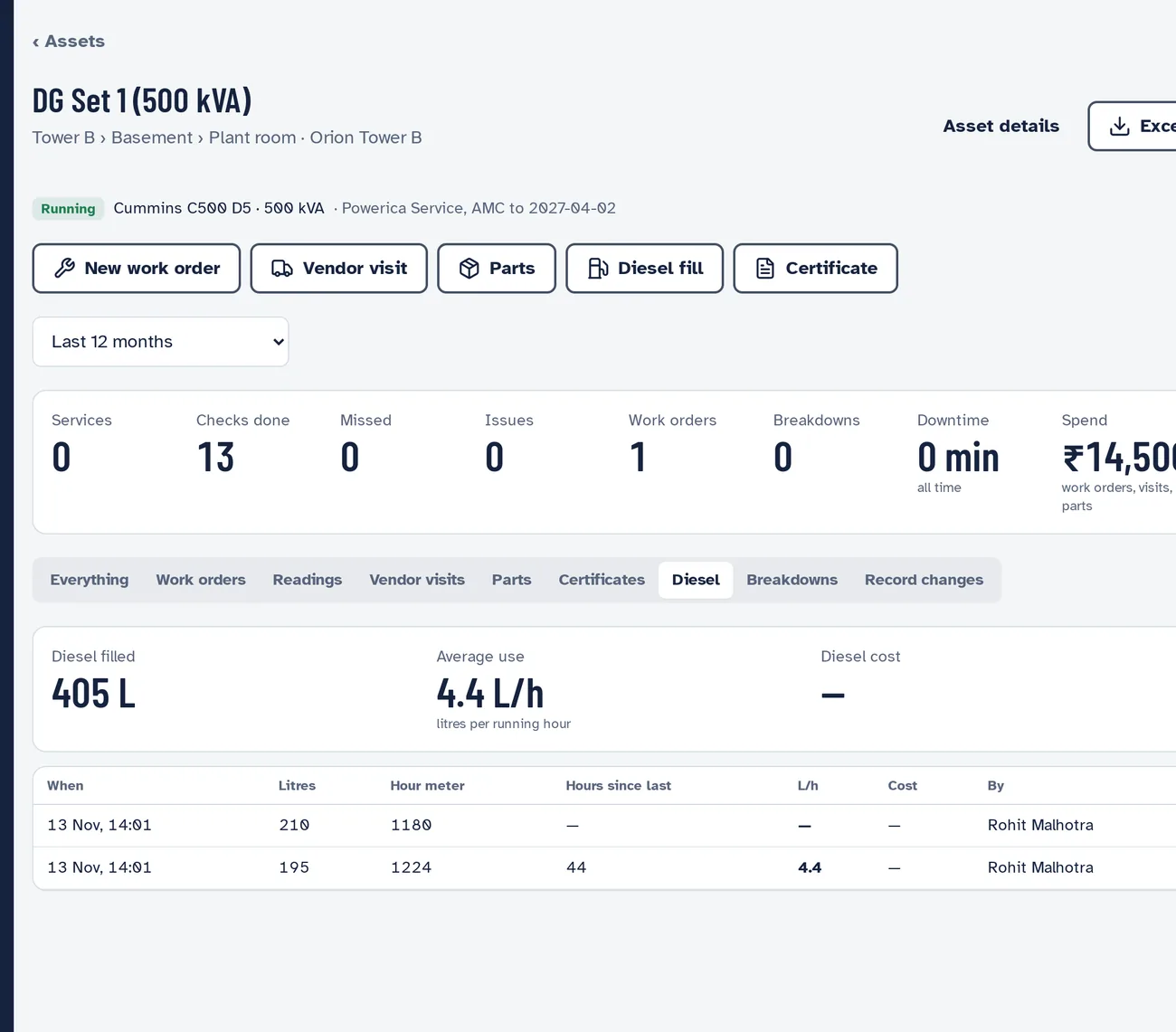
app.sitesee.in / Assets / DG Set 1
A DG set's page: running, AMC with Powerica Service, buttons for new work order, vendor visit, parts, diesel fill and certificate, and a diesel tab showing 405 litres filled at 4.4 litres per hour.

Reports your client actually reads

A daily report for every site by morning, period reports by area and by person, and trends of what gets missed by hour and by weekday. Everything exports to Excel.

  • On-time and missed rounds by area, shift and person
  • Readings out of range, with their limits
  • A Sunday email to ops managers listing next week's major asset work
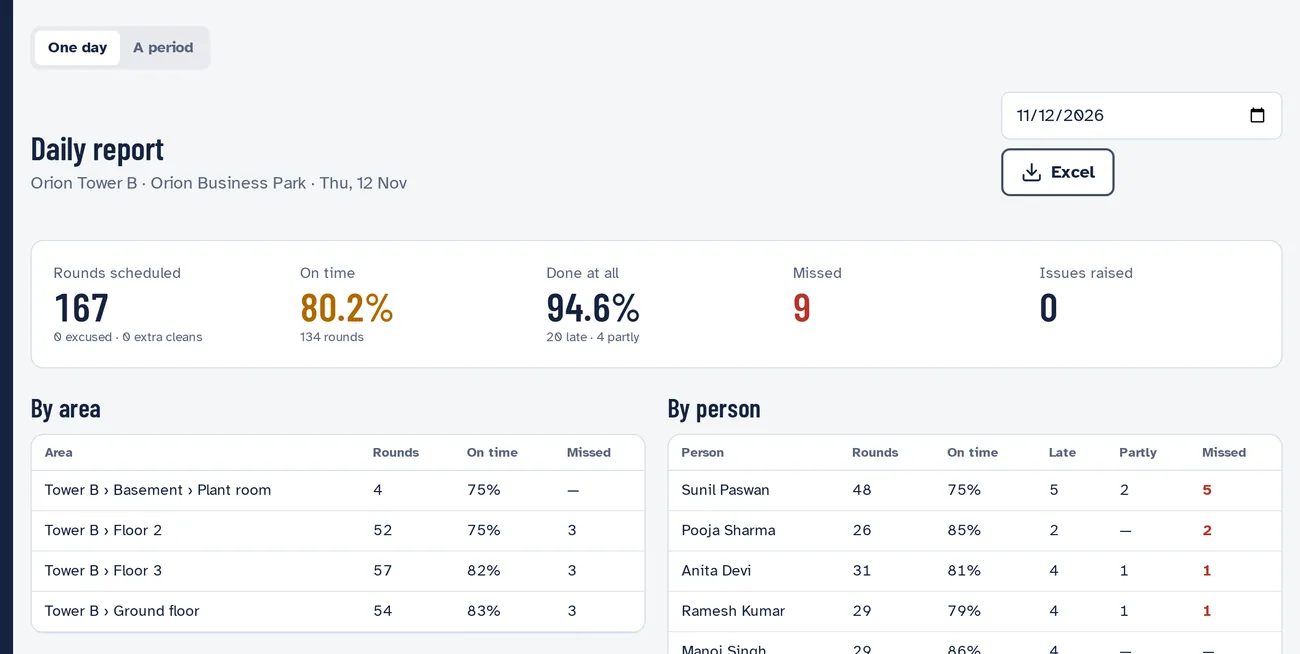
app.sitesee.in / Reports
Daily report: 167 rounds scheduled, 80.2% on time, 94.6% done, 9 missed, then tables by area and by person.

And the everyday things you ask for

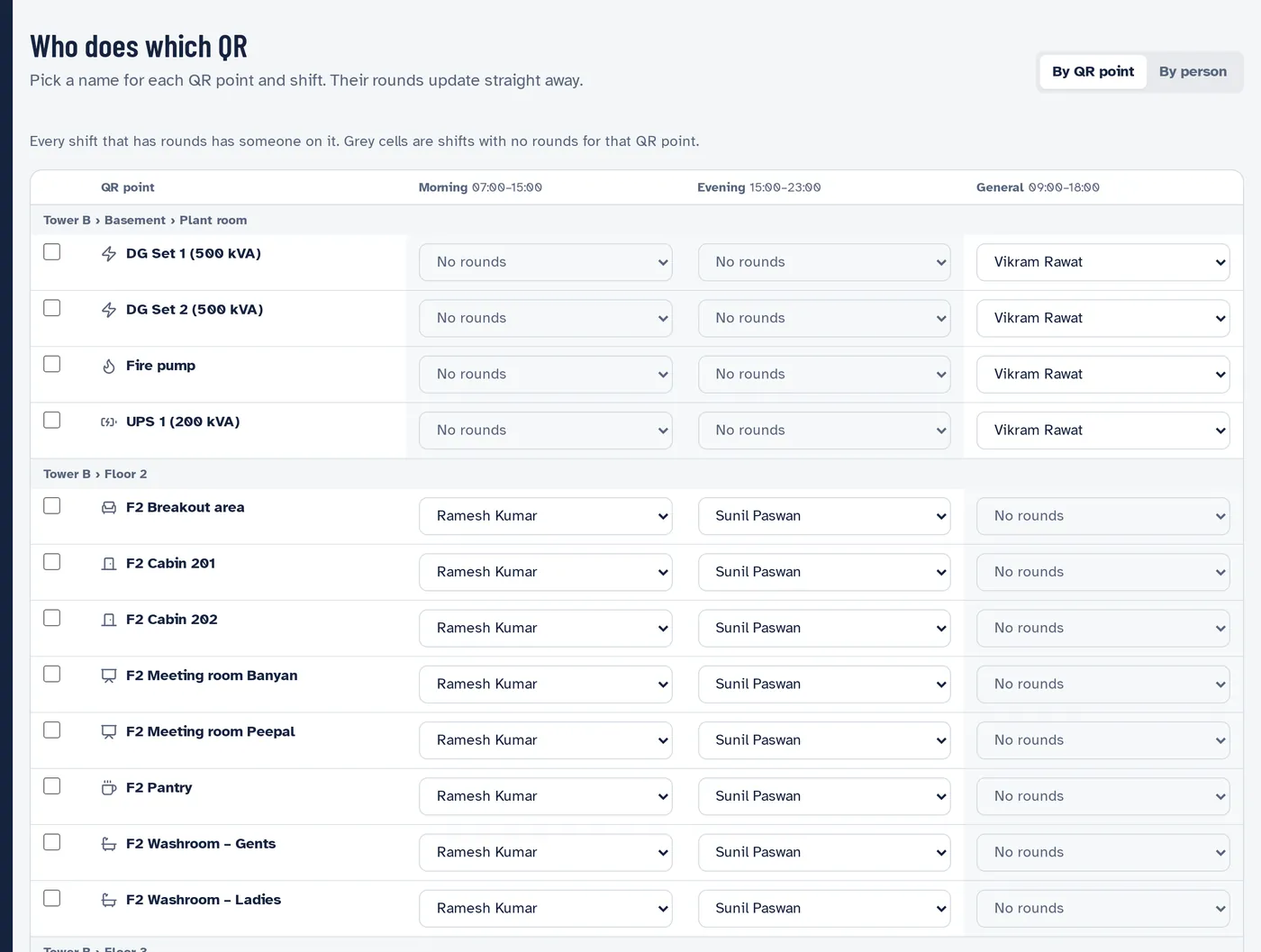
Who does which QR: each QR point with a person picked for the morning, evening and general shifts.

Built around attrition

Rounds belong to duty posts, not people. When someone leaves, hand their post to the new joinee in a minute. Cover an absence for a day without touching the schedule.

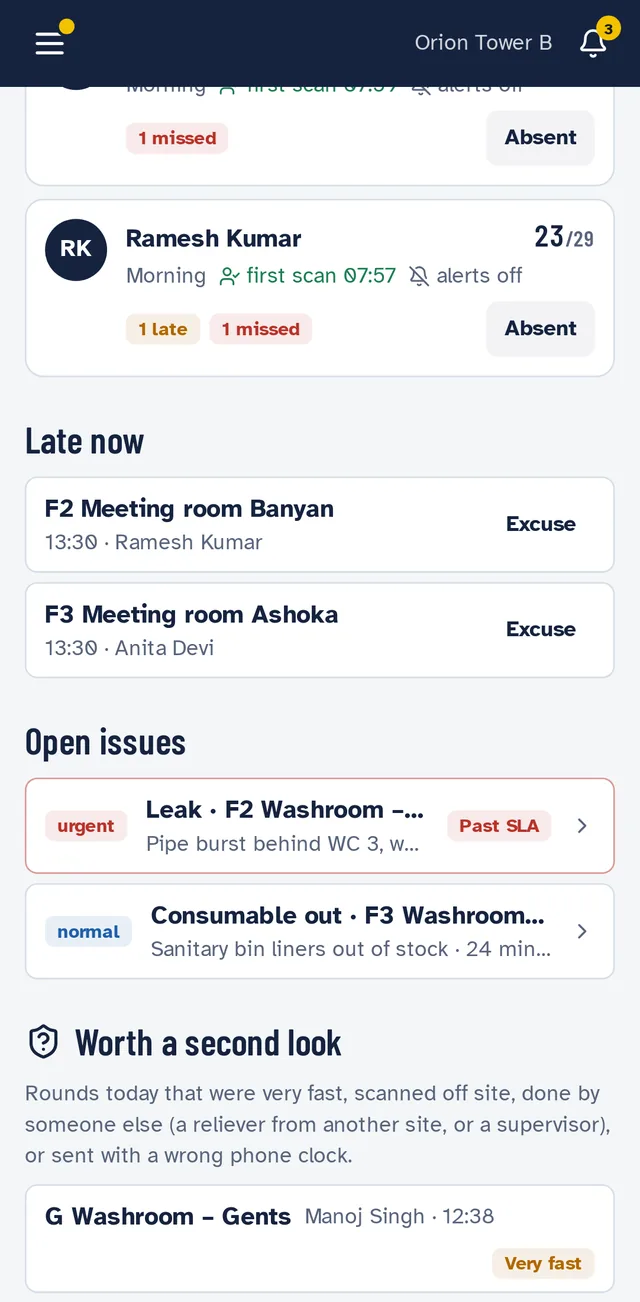
A supervisor's phone: each staff member's rounds done, late rounds, open issues and rounds worth a second look.

A supervisor's day on one phone

Who is behind, which rounds are late, open issues, and rounds worth a second look. Supervisors can do a round themselves when someone is short.

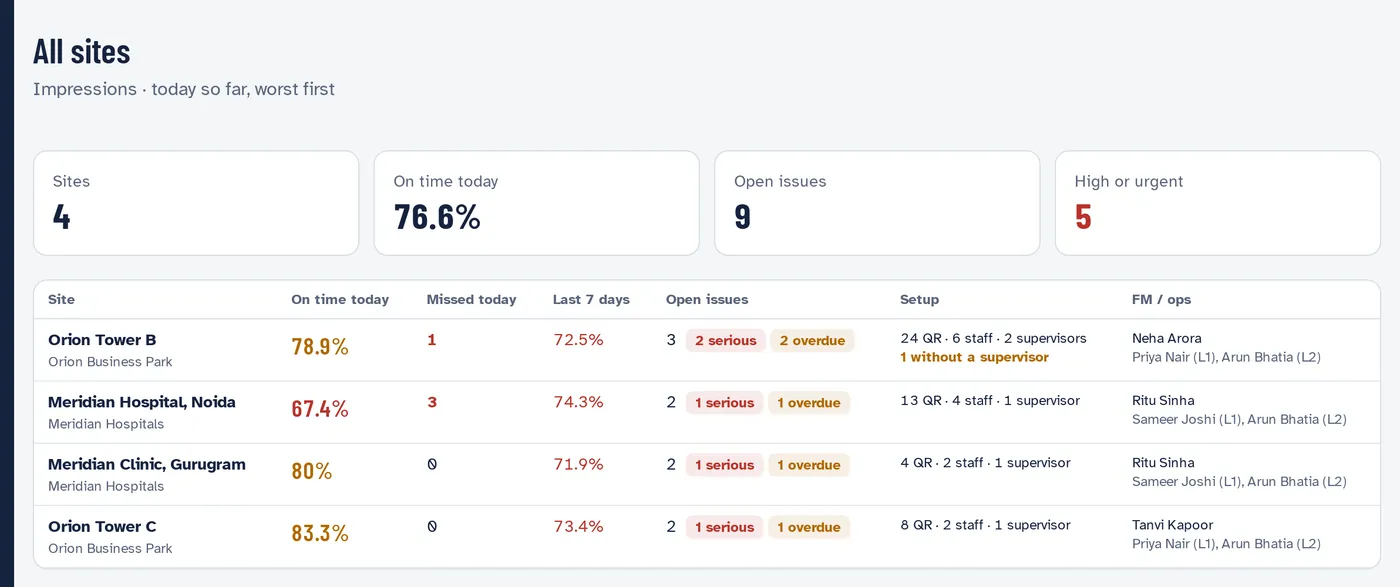
All sites: on-time rate, missed rounds and open issues for each site of the company.

Every site at a glance

On-time rates, missed rounds and open issues across all your sites and clients, with the worst first.

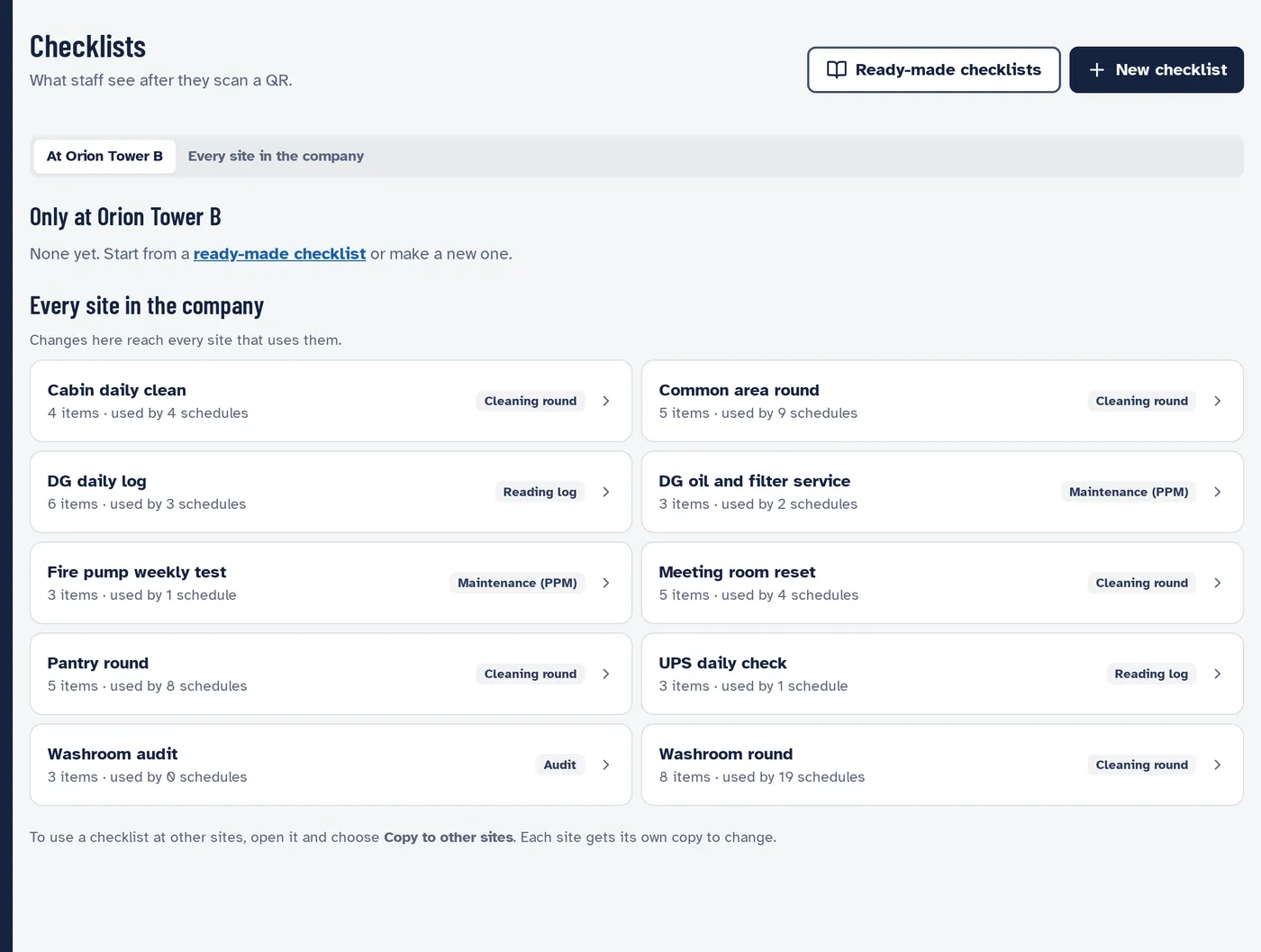
Checklists: ready-made checklists such as cabin daily clean, DG daily log, fire pump weekly test and washroom round.

Ready-made checklists

17 checklists and 16 schedules to start from, for washrooms, pantries, cabins, DG sets, UPS, fire pumps and lifts. Copy your own to every site in one go.

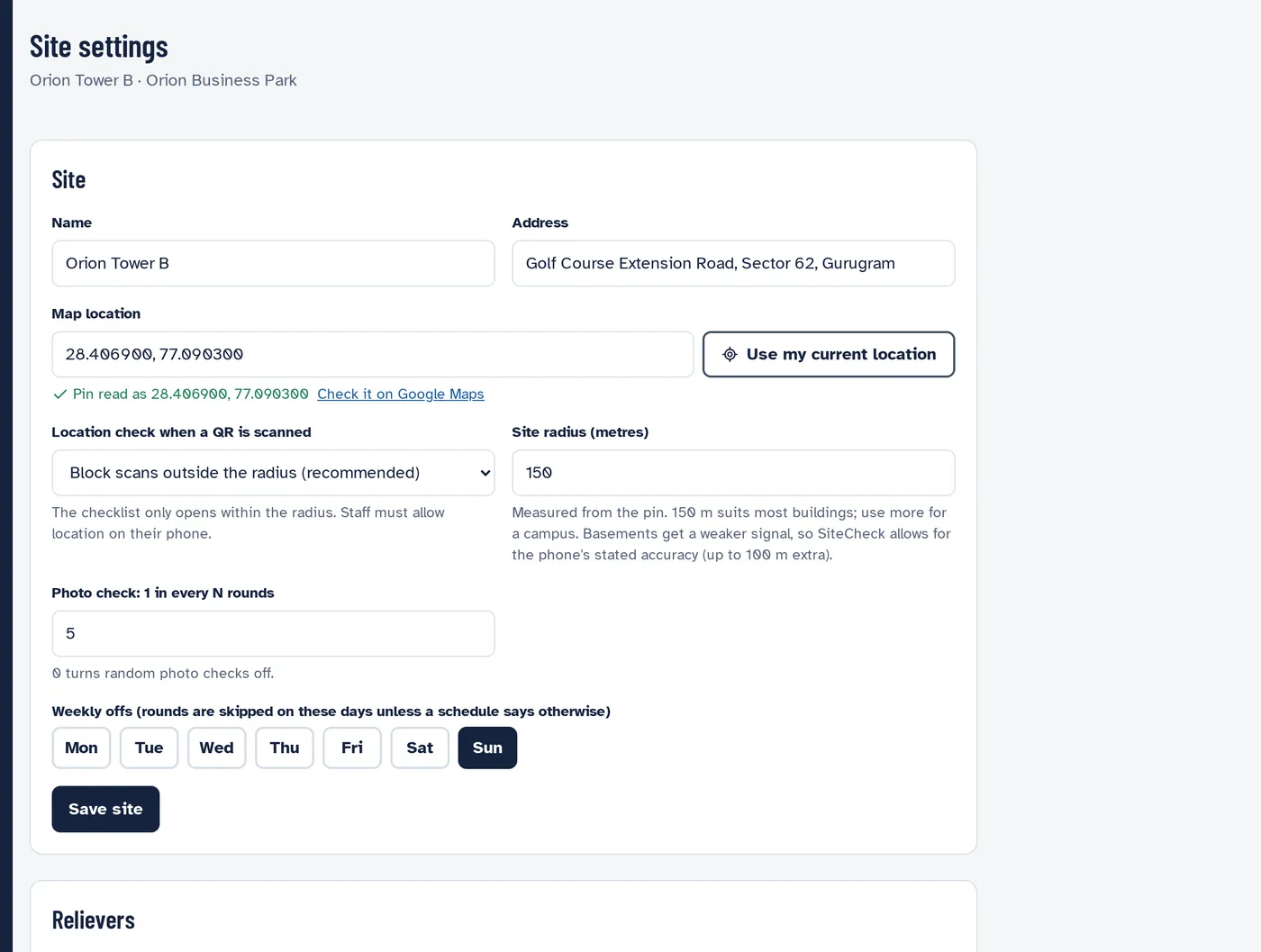
Site settings: map pin, radius, and what happens when a QR is scanned outside it.

Location checks you control

Pin each site on the map and choose what happens to scans from outside it: block them, flag them, or allow them. Relievers from other sites are allowed and shown separately.

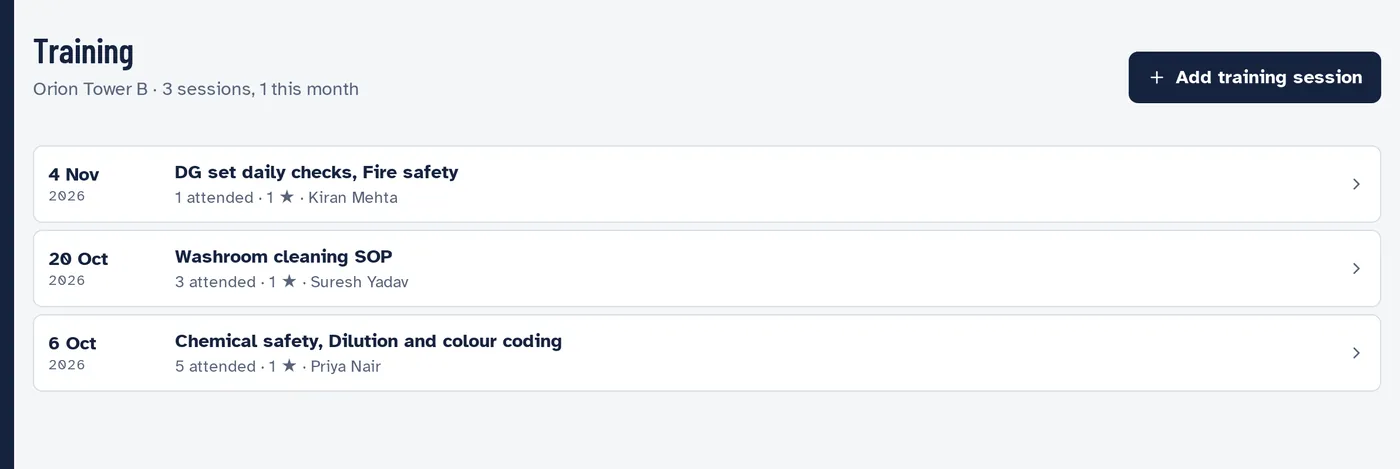
Training sessions at a site with dates, topics and attendees.

Training records

Log each training session with topics, attendees and photos, so the client audit has proof on file.

Made for the way Indian sites actually run

Most CAFM software is built for engineers at a desk. SiteSee is built for a housekeeping team with mixed literacy, high attrition, shared phones and weak signal in the basement.

Hindi and English

Every staff screen in both, switched with one tap. Checklists and QR names carry both languages. हिंदी में भी।

Phone number and PIN

No email IDs for frontline staff. Only numbers a supervisor has added can sign in, and a leaver's access ends the moment they're removed.

Any phone, no app store

SiteSee opens in the phone's browser. Add it to the home screen once for alerts. Entry-level Android phones work.

Alerts, not WhatsApp groups

Issues go to the right person as a notification, and climb on their own if ignored. The trail stays in the app, not in a group chat.

Weak signal is fine

Submissions made in a basement plant room wait on the phone and send when the signal comes back.

Your data stays in India

SiteSee runs in a Mumbai data centre. Your client's site data doesn't leave the country.

Wherever your teams keep a building running

The QR points and checklists change from site to site. The way your team works doesn't.

Corporate offices and IT parks

Hourly washroom rounds, pantry and meeting room resets, and DG and UPS logs for the plant room.

WashroomsPantriesMeeting roomsDG sets

Hospitals and clinics

Ward and OPD washrooms, waiting areas and spill response, with the plant room logged by the technical team.

WardsOPDWaiting areasPlant room

Malls and retail

High-footfall washrooms every 30 minutes, food courts, escalators and parking, with issues reported from the floor.

Food courtEscalatorsParkingWashrooms

Factories and warehouses

Fire pumps, compressors and DG sets on run-hour PPM, plus canteen hygiene and shop-floor washrooms.

Fire pumpsCompressorsCanteenDocks

Housing societies and townships

Lobbies, lifts, water pumps, STP and common areas, with AMC and lift licence dates that never slip past.

LiftsSTPLobbiesPump room

Schools, colleges and hostels

Classrooms before the bell, hostel washrooms, canteens and water coolers, with training records for every new joinee.

ClassroomsHostelsCanteenWater coolers

One price. Every site.

Most CAFM tools charge for every site, typically ₹5,000 to ₹6,000 a site every month. SiteSee charges once a year for your whole company. Add a site or a hundred people and the price stays the same.

₹1,10,000a year + GST

Unlimited sites. Unlimited users at those sites.

  • QR rounds and checklists
  • Live board and alerts
  • Issues and escalations
  • Assets, PPM and work orders
  • Reports and Excel
  • Email reminders
  • Hindi and English
  • Training records
Request access

What you'd pay per site

Per-site pricing, ₹5,000 to ₹6,000 a site a month₹15,00,000 to ₹18,00,000
SiteSee₹1,10,000
₹13,90,000 to ₹16,90,000

less every year with SiteSee at 25 sites.

Yearly figures before GST. Per-site pricing is the typical market rate quoted to Indian FM providers; your quotes may differ.

Request access

Tell us about your sites. We'll set up your company, walk your team through it and help you put your first site live.

We use these details only to get back to you about SiteSee.

Staff can't sign in?

Ask your supervisor to check that your number is added at your site and to reset your PIN from the Staff page.

Questions FM providers ask us

Do my staff need smartphones?

Any Android phone or iPhone with a browser works, including entry-level phones. Staff without a phone can be covered by their supervisor, who can do a round on their behalf; those rounds are marked so your reports stay honest.

Is there an app to install?

No app store. Staff open the link or scan a sticker, sign in with their phone number and PIN, and add SiteSee to the home screen once so they get alerts.

How long does it take to set up a site?

Add the site and its areas, choose from 17 ready-made checklists and 16 schedules, print the QR stickers from SiteSee, and add your staff by phone number. The rounds start from the next shift.

Can my client see it?

Yes. Your client's facility manager gets a login for their site, a daily report and a morning summary. Your escalation rules decide when an open issue reaches them, so your team gets the first chance to fix it.

What happens when a staff member leaves?

Rounds are attached to duty posts, not people. Give the post to the new joinee and every round, schedule and QR moves with it. The leaver's access ends when they're removed.

What does it cost?

₹1,10,000 a year plus GST for your whole company: unlimited sites and unlimited users at those sites, with every feature included.

Where is our data kept?

In India, in a Mumbai data centre. Each FM company's data is kept separate, and every change to staff, schedules and QR points is logged with who made it.

Put your next site on SiteSee.